
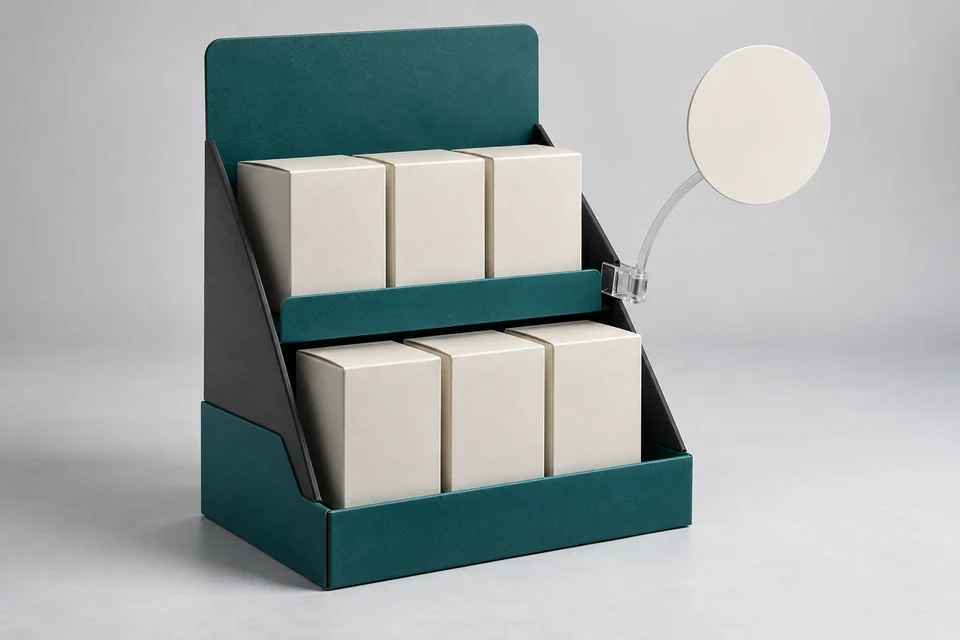
POSM is a group of items that support communication and display at the point of sale. With counters and shelves, it needs to be clearly visible, stable and not obstruct operations. The perspective should be tested by location with the actual product.
Measure the space instead of just sending reference photos
Measure the area allowed to be placed and take photos from the direction where visitors and staff work. Record surrounding objects such as price signs and payment machines. If there are multiple stores, group the spaces instead of assuming every counter is the same.
Wobbler is a small sign that sticks out from the edge of a shelf; need to test the attachment point and reach. Shelves need to know the number of items, the weight of each layer and how to retrieve them. Record both visual and load-bearing requirements.
Choose a key message for each item
| Items | Main role | Points to check |
|---|---|---|
| Shelves or counter trays | Hold the line and present the main side | Loading, stability, replenishment |
| Wobbler | Attract attention at the edge of the shelf | Mounting location and operation method |
| Small table | State campaign information | Vision range and reading level |
Choose a main mission for each item. Browse text at your normal viewing distance, not just on nearby screens. Too much of a message can lose the point.
Try the shelf when it's full and when it's almost out of stock
Fill it up and then gradually take out the goods according to the selling method. See if the shelf is tilted when only one side is left, if the sides have sagging and if the product has letter cover. The blocking point needs to hold the goods but not make them difficult to get.
Choose paper, carton and reinforcement according to load, environment and display time. The number of layers or simulated images is not enough to determine the load-bearing capacity.
Bring the assembly to the review session
For those who do not know the model, try installing it with a short guide. Record points for incorrect installation and additional supplies. With flat delivery shelves, see both package volume and quality after opening.
Wide and narrow counters may need two commonly identified sizes. Test the readability on each size instead of trying to use a large shelf for every location.
Keep deployment sets consistent
Finalize item code, print version and quantity by store. After testing at representative locations, use feedback on installation and replenishment to make adjustments before widespread deployment.
Send SquareBag photos of location, size, product model and campaign time to jointly choose the POSM structure.
Explore POSM & promotional items in the SquareBag category.
Exchange specifications with SquareBagAll articles